Desktop Software
Run Your Collection Centre from One Windows PC
The Nitara Desktop Connector reads quality straight from your analyzer, prices every pour from your rate chart, prints the farmer's receipt, and keeps working when the internet doesn't.
Windows 7/8
Windows 7 and 8
Windows 10/11
Windows 10 and 11
Install in 3 steps
- 1Download the ZIPChoose 32-bit or 64-bit above and save the ZIP file.
- 2Extract all filesRight-click the ZIP and choose "Extract All".
- 3Run setup as administratorIn the extracted folder, right-click the setup file and choose "Run as administrator".32-bitNitaraWin7ConnectorSetup-1.2.0.4.exe64-bitNitaraWin7ConnectorSetup-x64-1.2.0.4.exe
- Windows 7 SP1+
- .NET 4.6+
- Automatic updates
- 12+ languages
Built for Rural Reality
Power cuts, flaky internet, mixed analyzers — the Desktop Connector keeps the shift moving and catches up with the cloud when the line returns.
Everything a Centre Does in a Day
Nine things the app handles, from the first pour to the month-end ledger.
Milk Collection
Look up a farmer, take the weight from the scale and Fat/SNF from the analyzer, and print the receipt — rate and amount worked out as you go.
Rate Chart Engine
A Fat × SNF price matrix with your dairy's ideals, premiums and penalties. If the remote chart can't be reached, the local one takes over.
Offline & Sync
Every pour saves to the PC first. A background worker uploads what's pending once the line returns, retrying and resolving clashes on its own.
Hardware Bridge
Talks to ultrasonic analyzers, electronic scales and thermal printers directly over serial — no extra driver stack to install.
Sales & Tanker
Dispatch milk sales, log tank filling, and take composite quality samples with the same pricing discipline as collection.
Ledgers & Feed
Payment ledger, cattle feed debits, a farmer bonus calculator, and shift history weighted by volume.
Live Dashboard
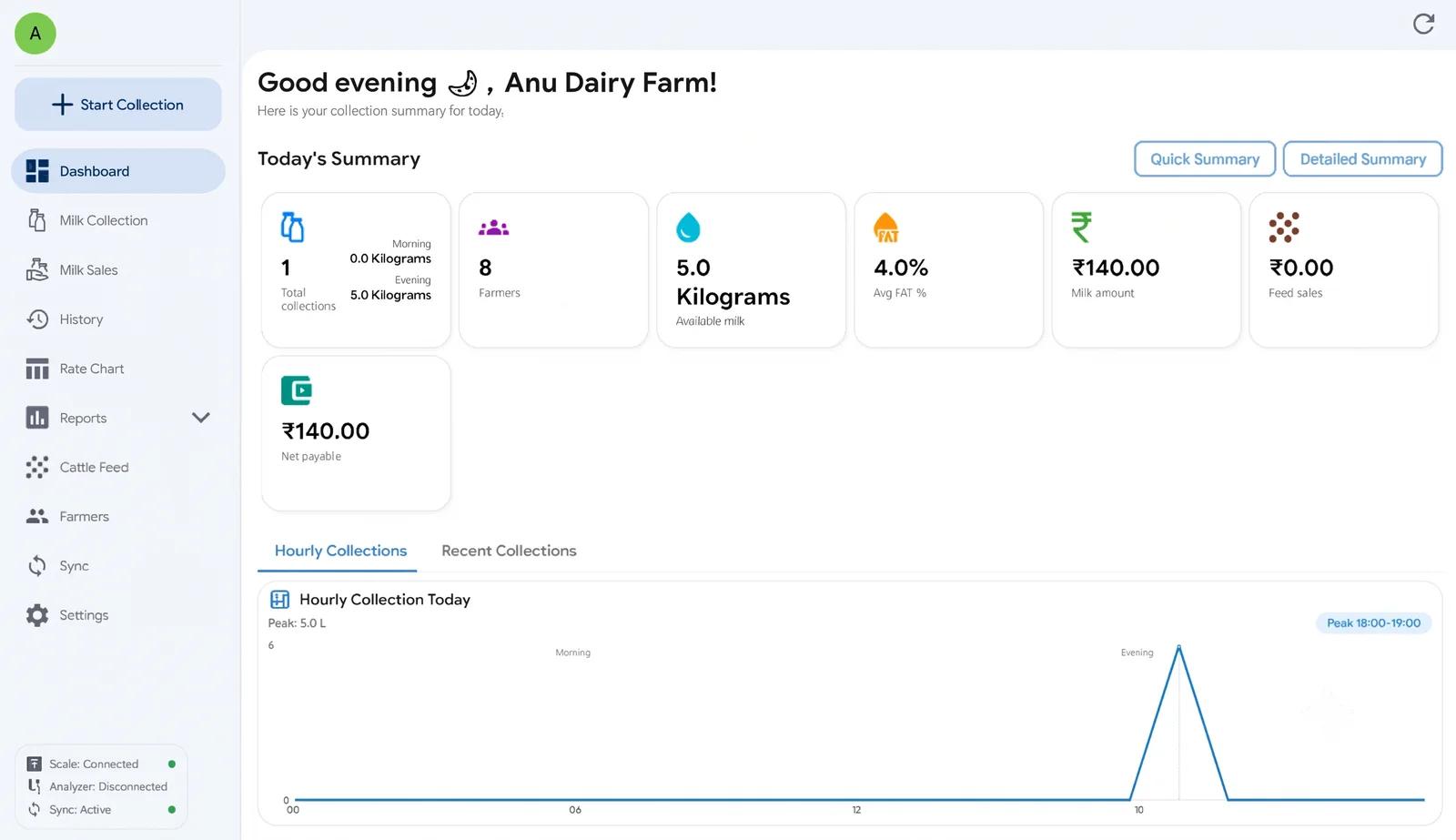
Today's litres, amount, unique farmers and average quality at a glance — morning shift and evening shift.
Multi-language
Switch language while the app is running: English, Hindi and ten more regional languages.
Reports & Receipts
Session summaries and farmer slips, ready to print — the paper trail farmers expect at the counter.
A Look Inside the App
Five screens that cover the working day.
Dashboard
Shift totals, Fat/SNF, unique farmers
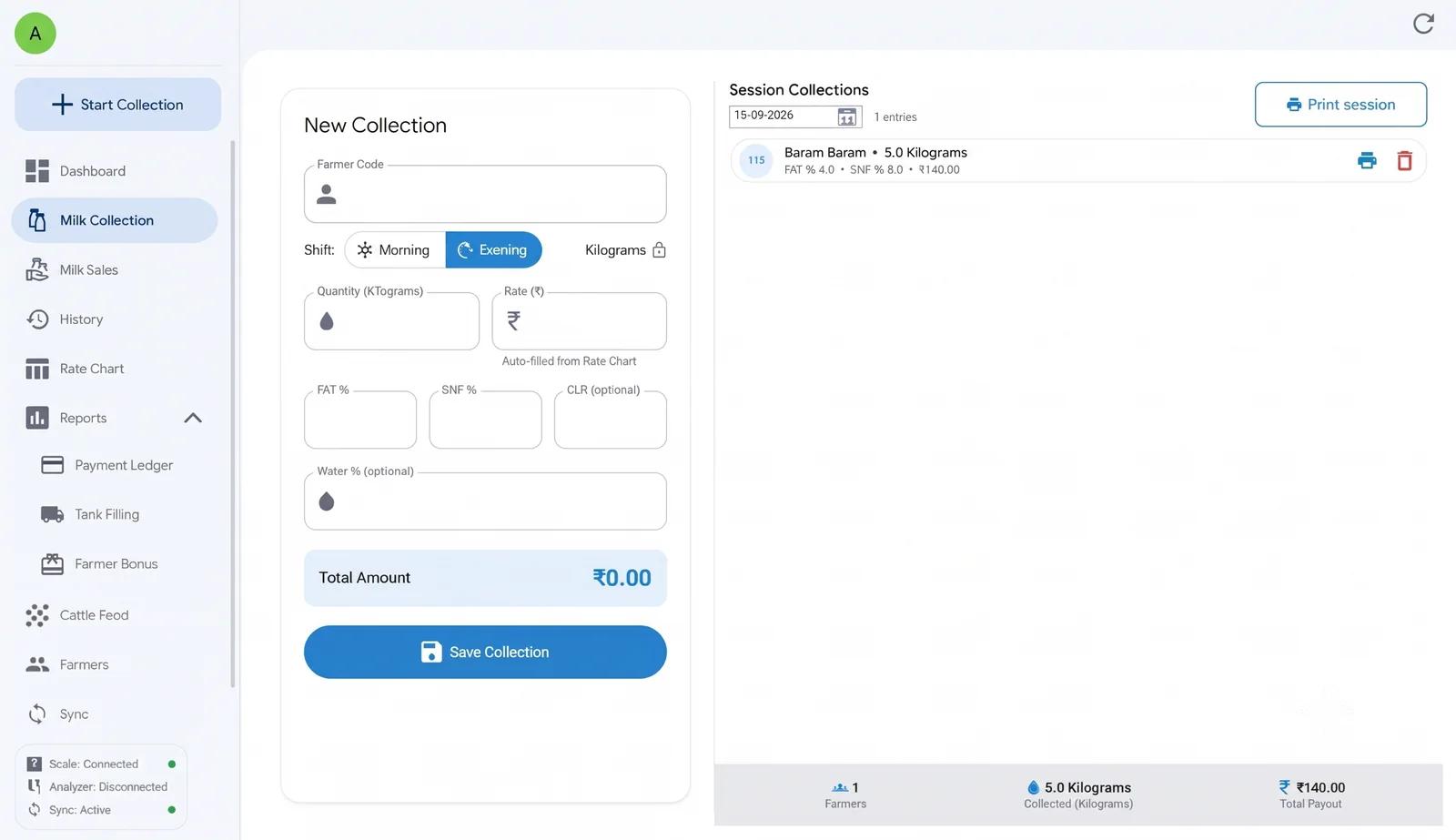
Milk Collection
Scale and analyzer, to rate, to receipt
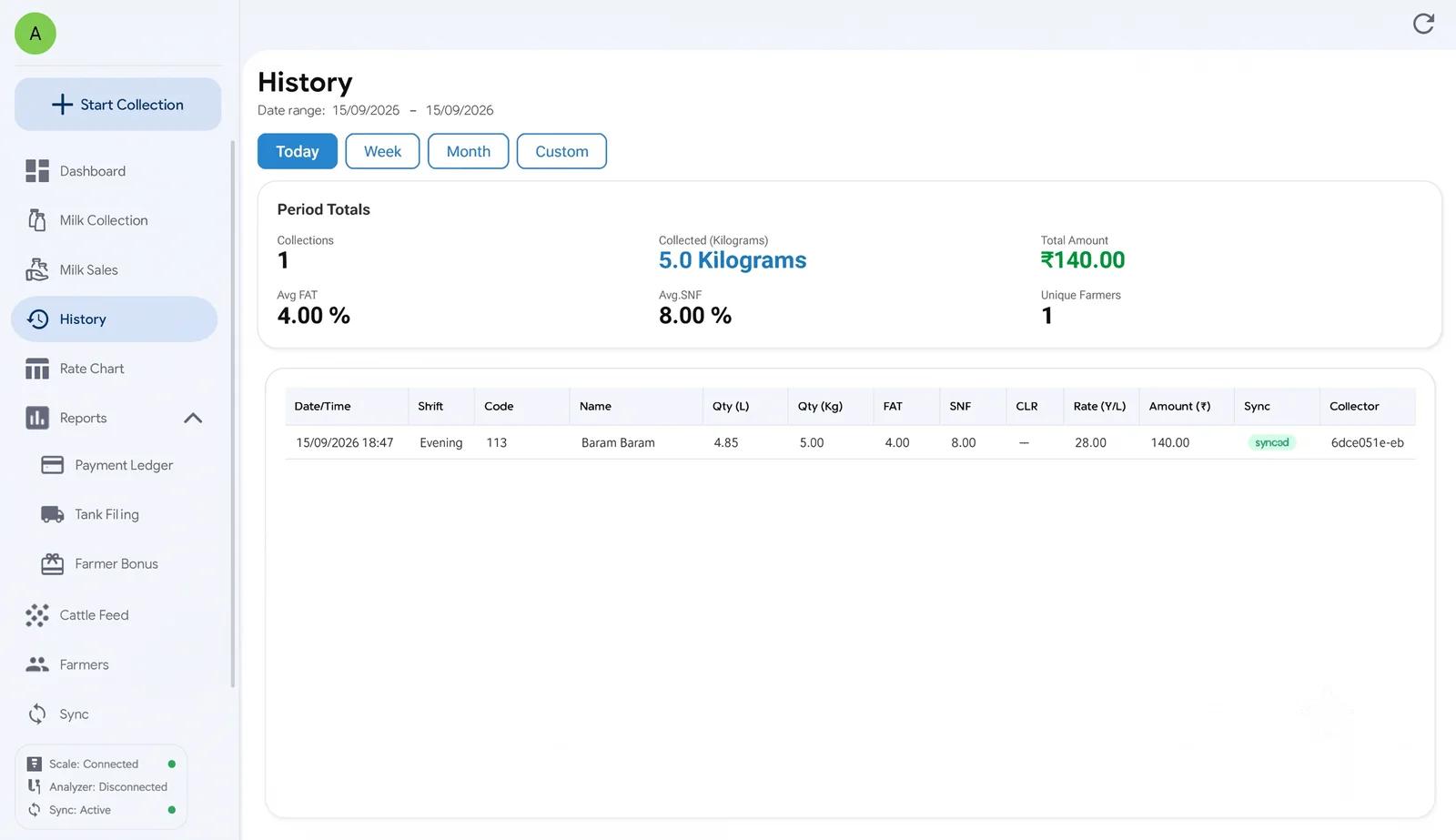
History
Filterable pours with sync status
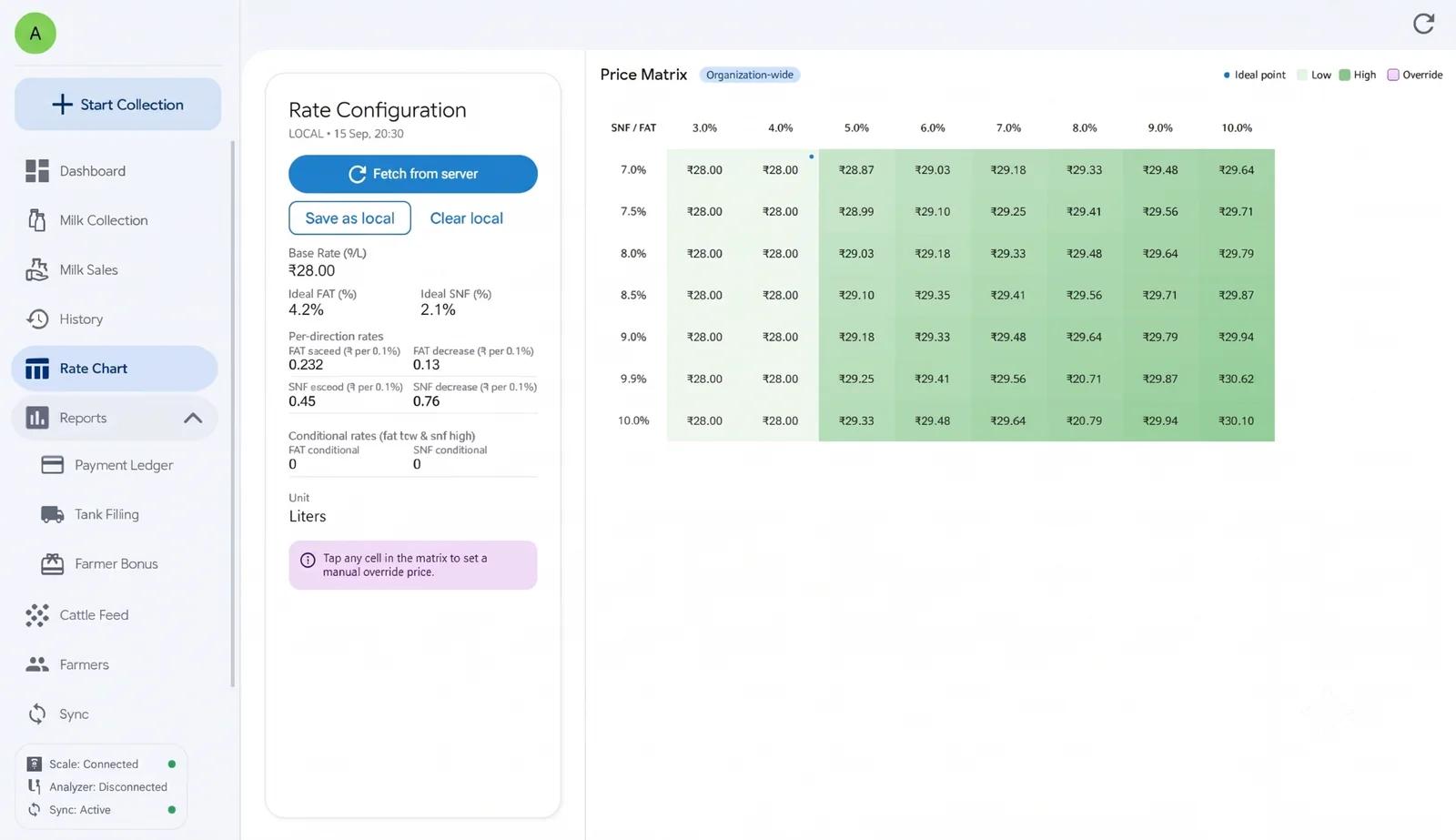
Rate Chart
Fat × SNF pricing matrix
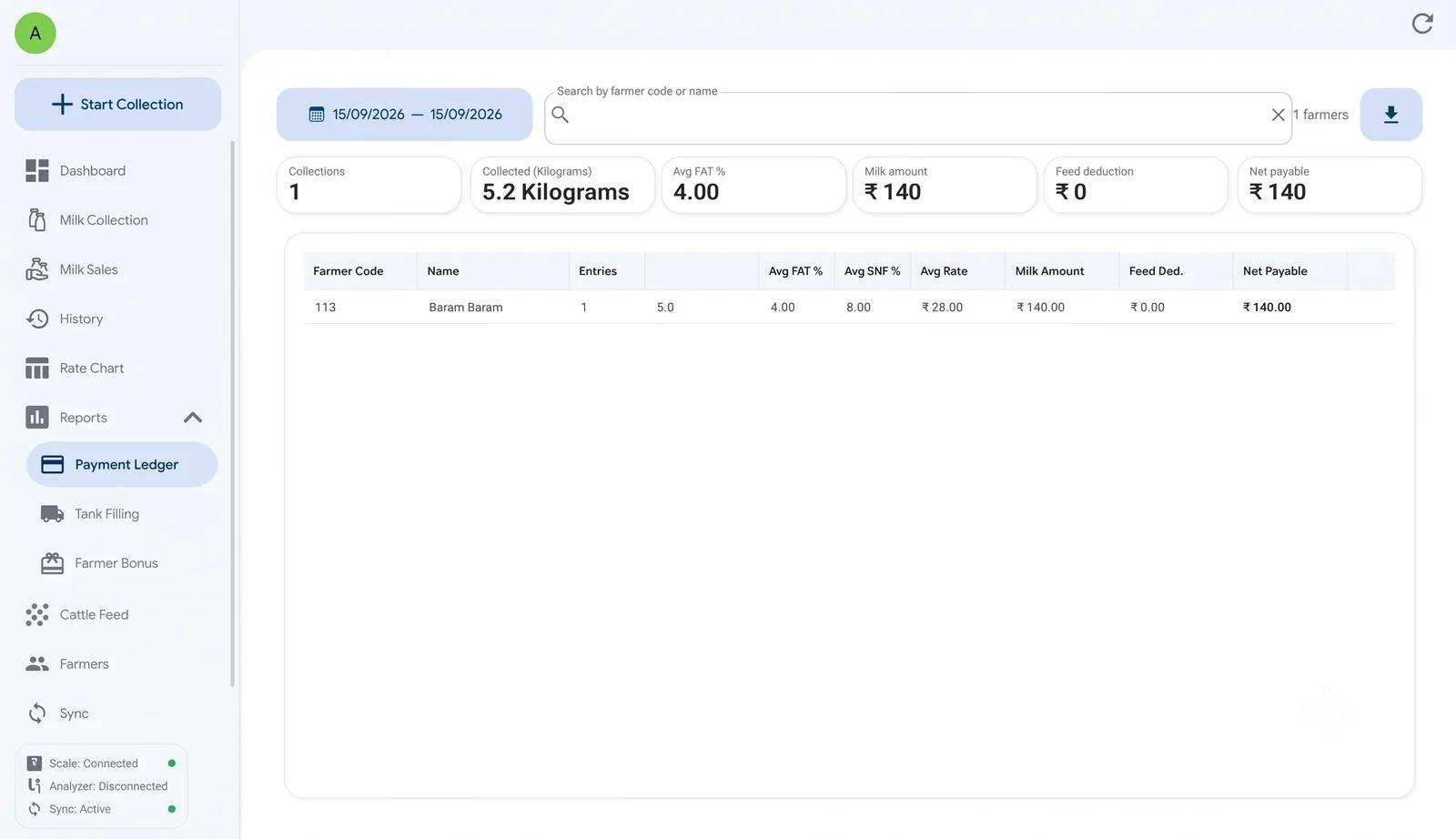
Payment Ledger
Farmer dues and settlements
Up and Running in Four Steps
From install to your first automated shift.
- 01
Install on your collection PC
On the centre PC, choose your Windows version and run the installer. It takes a couple of minutes, and the app is ready for the next shift.
- 02
Sign in
Use your Nitara collector credentials. The app caches your society profile and farmer list locally.
- 03
Connect your equipment
Open Settings, then Hardware, and choose the port each device is plugged into: the analyzer, the weighing scale and the printer. The app checks the ports again every time it starts.
- 04
Go live
Start a morning or evening shift. Fat, SNF, and weight fill in automatically; rates apply from the chart; receipts print on save.
Questions We Hear Most
The hardware Connector is an IoT gateway that pairs with the Nitara Friend mobile app. The Desktop Connector is a full Windows application for centres that would rather work on a PC — the same offline-first idea, with richer rate charts, ledgers and reports.
Yes. Every collection, sale, feed debit and ledger entry saves to the PC first. When the connection returns, pending records upload to the Nitara cloud automatically.
Any device that speaks the common RS-232 serial patterns used at Indian VLCs — Ekomilk, Oright, Kurien, REIL and similar. Set the COM port and parser in Hardware Setup, and call us if your model isn't listed.
Windows 7 Service Pack 1 and later, 32-bit or 64-bit, with Microsoft .NET Framework 4.6 or newer.
Ready to automate your milk collection?
Install the Nitara Desktop Connector on your Windows collection PC.